How to view page source online
- Paste the complete public address, including
https://. - Select View Source.
- Read the numbered HTML. Open the optional SEO pane if you want a Core SEO score on the same response.
- Copy or download that HTML when you need the file.
Reading your results
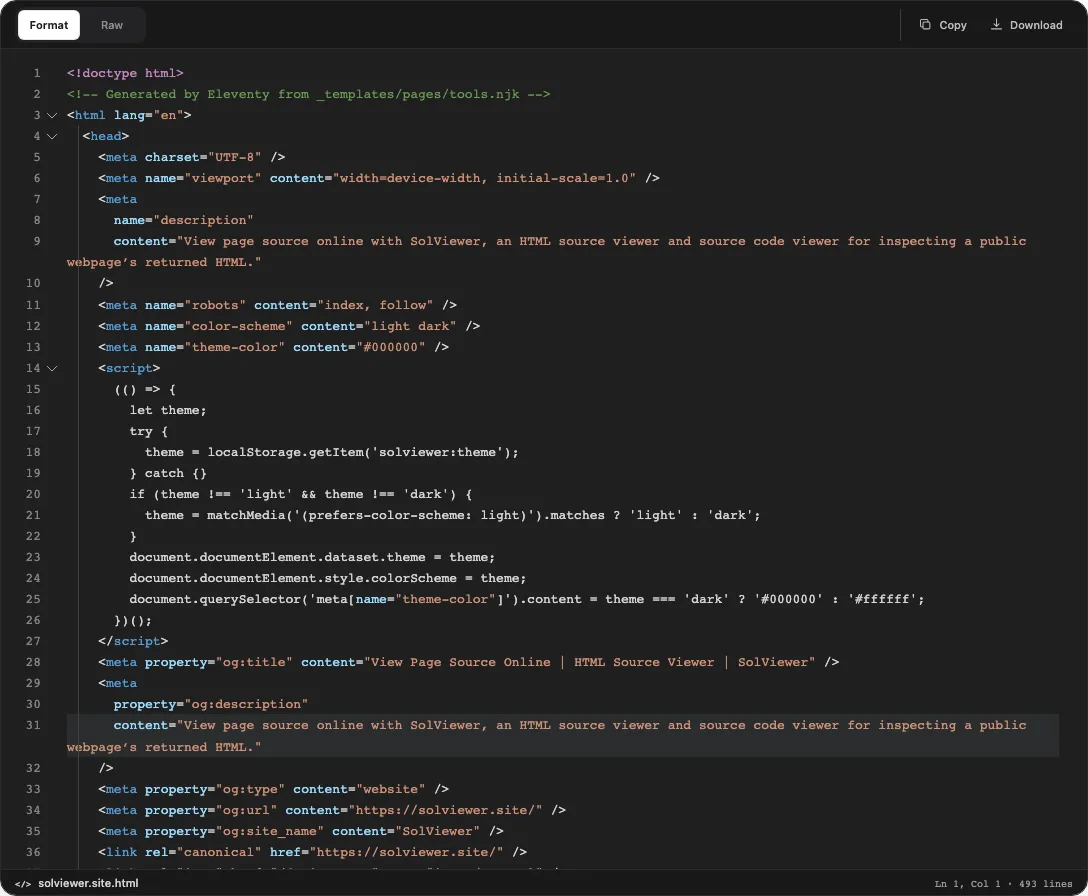
View Source fetches HTML. The workspace shows that document with line numbers so you can search tags, comments, and script references in the order the server sent them.
Copy and Download operate on the same retrieved document. They do not package stylesheets, images, or server-side files that were never in the response.
An optional SEO pane can sit beside the source. It shows an on-page SEO report with a Core SEO score for the URL you entered. Treat that pane as a structured reading of the same HTML, not a second fetch and not a ranking verdict.
The listing is the returned HTML, not the live DOM after JavaScript. We do not execute page JS for the fetch, and we do not show backend code.
Worked example
We retrieved https://solviewer.site/ on 23 September 2026. The response was HTTP 200 with 0 redirects and about 29,761 bytes of HTML.
The <title> was “View Page Source Online | HTML Source Viewer | SolViewer” (56 characters). The meta description was 133 characters. The document had one H1, html lang=en, a mobile viewport, and a canonical of https://solviewer.site/. Three JSON-LD blocks were present. og:title, og:description, og:url, og:type, and og:site_name were set; og:image and twitter:card were not.
Response headers included x-content-type-options: nosniff and referrer-policy: strict-origin-when-cross-origin. There was no X-Robots-Tag and no Set-Cookie. The server token was cloudflare without a version string.
Common problems and fixes
- View Page Source is missing from the right-click menu. A custom context menu can hide the browser command. Cause: the page replaced the default menu. Fix: paste the URL here. A blocked menu does not stop a server fetch.
- Typing
view-source:on Android becomes a search. Chrome on mobile often treats that prefix as a query unless you pick the globe suggestion. Cause: the address bar is a search box first. Fix: use this URL form instead of the prefix. - The numbered source omits widgets you can see in the browser. Cause: scripts added nodes after the initial response. Fix: compare this HTML with Inspect Element. View Source is the delivered document; Elements is the live DOM.
<div id="app"><!-- filled after JavaScript runs --></div> - You expected PHP, Python, or a database dump. Cause: those files never left the server. Fix: read only what the response contained. View Source cannot reveal backend code.
- The site loads in your browser but this form cannot retrieve it. Cause: authentication, bot challenges, or a host that answers browsers and automated requests differently. Fix: confirm the URL is public, then retry. A failed retrieval is not proof the site is offline.
- You need Chrome, Safari, or Firefox keyboard shortcuts. Cause: those commands belong to the desktop browser, not this URL form. Fix: follow the view page source guide for desktop steps, then return here when you want the server HTML for a URL you are not already browsing.
View source on iPhone and Android
Safari on iPhone and iPad has no View Source menu. Android’s view-source: prefix is awkward: recent Chrome builds often search the string instead of opening source. View Source is the same URL form in a mobile browser. There is no App Store listing and no extension to install.
What you read is still the HTML the server returned for that public URL. It is not the DOM you would see after JavaScript runs, and it is not CSS, images, or private application files. If a page hid the desktop View Source item, the fetch still asks the origin for the document.
Use this page when you have a URL and a phone. Use the Chrome, Safari, and Firefox shortcut guide when you already have the tab open on a desktop and only need the browser command.
How this check works
We request the public URL and print the HTML body with line numbers. Scripts in that body are not run during the fetch, so client-only nodes can be missing from the listing.
Copy and Download save that document, not stylesheets, images, or server-side source. Firefox documents a separate desktop View Source command for a tab you already have open; this page is for a URL you paste, including on a phone.
The bytes we retrieve for View Source follow the public URL retrieval notes.
Frequently asked questions
Can I view page source on an iPhone or Android?
Yes. Open this page in the phone browser and paste the public URL. Safari has no View Source menu, and Android view-source: is unreliable, so the useful path is this form.
What does view-source: do?
In a desktop browser it asks the client to show source for an address. On many phones the prefix is ignored or searched. SolViewer does not rely on that prefix; it requests the URL and shows the HTML that came back.
Why is View Page Source hidden from the right-click menu?
The page can replace the default context menu. That does not remove the HTML from the server. Paste the address here, or use a desktop shortcut from the source guide.
Is this the same as Inspect Element?
No. Inspect Element is the live DOM after parsing and script. View Source is the HTML the server sent. They often differ on pages that render in the client.
Can View Source reveal backend code?
No. Only bytes included in the retrieved response appear here. Application source, database queries, and private files stay off the listing unless a site has published them by mistake.
Related tools
- SEO Checker — structured on-page findings from the same kind of HTML response.
- Open Graph Checker — share tags and approximate cards from server-rendered metadata.
- Robots.txt Checker — origin
/robots.txtplus a local Allow/Disallow simulation.
Public URL requests follow the shared fetch limits on the About page.